![Kara Connect - Logo A - RGB - White.png]](https://support.karaconnect.com/hs-fs/hubfs/Kara%20Connect%20-%20Logo%20A%20-%20RGB%20-%20White.png?height=40&name=Kara%20Connect%20-%20Logo%20A%20-%20RGB%20-%20White.png)
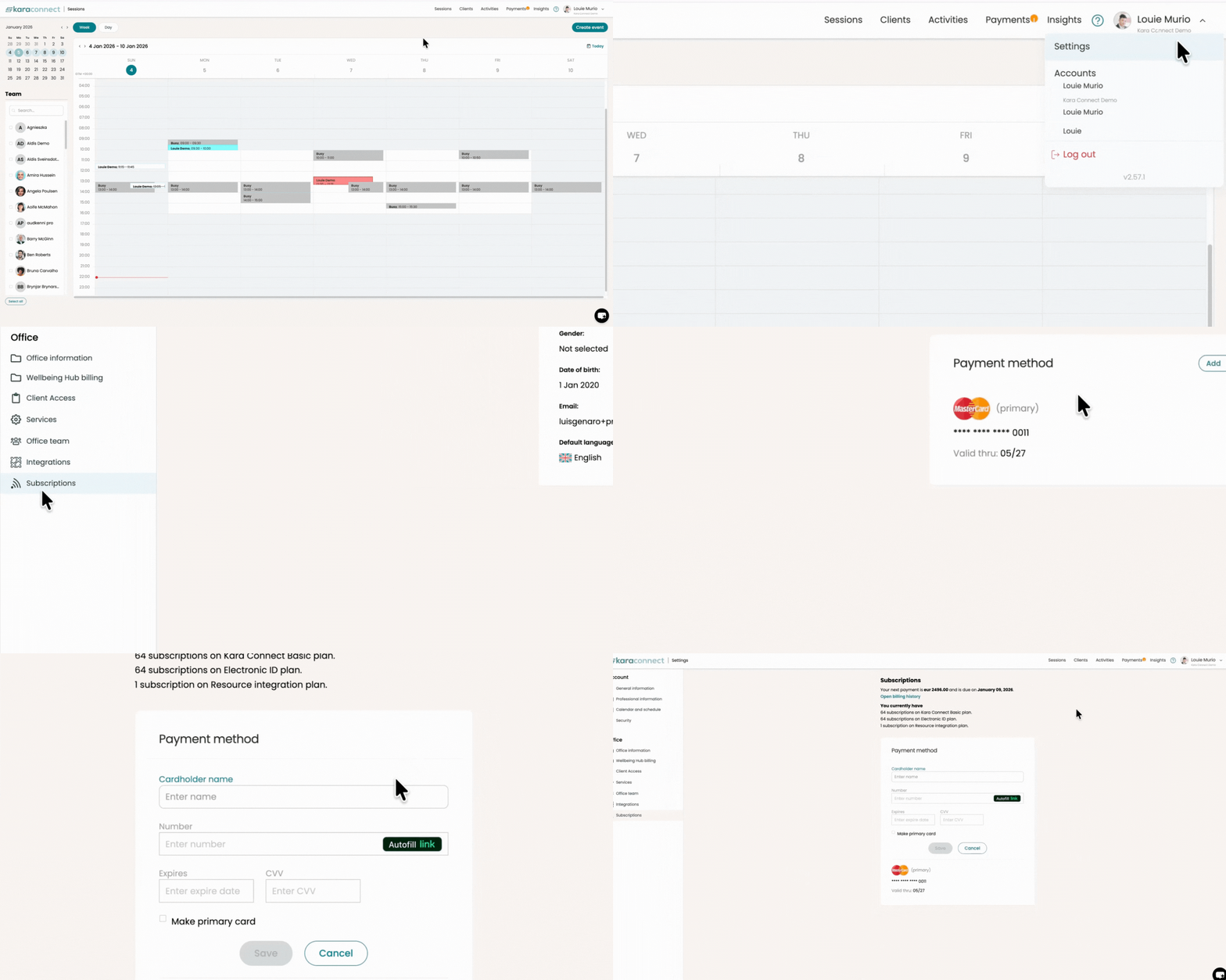
To add new card details in your professional Kara Connect Account:
1. Press the dropdown button in the top right corner and go to Settings.
2. On the left pane, Under Office, click Subscriptions.
3. Here you will see your card details. You can add a new card, change your plan and review your billing history.
4. You can add a new card by clicking the Add + button and filling up your card details.