![Kara Connect - Logo A - RGB - White.png]](https://support.karaconnect.com/hs-fs/hubfs/Kara%20Connect%20-%20Logo%20A%20-%20RGB%20-%20White.png?height=40&name=Kara%20Connect%20-%20Logo%20A%20-%20RGB%20-%20White.png)
Overview
The payment process for your session depends on the method your professional has chosen to collect payment. If you are unsure which method applies to you, please contact your professional directly.
Paying by Credit or Debit Card (Kara Pay)
If your professional uses Kara Pay, you can pay for sessions directly through your Kara Connect client account. You will either receive an invoice from your professional or be able to initiate payment yourself.
How to Pay
- Log in to your Kara Connect account.
- Click Payments in the top-right corner.
- Locate the relevant session and follow the on-screen prompts to complete payment.
Setting Up Automatic Card Payments
You can save a card to your account to have session payments processed automatically. To add your card details, please refer to the card setup guide in your account settings.
To resolve this, you may either:
• Add a new card under Card Information, set it as your primary card, and retry payment; or
• Resolve the original issue (e.g., top up your card) and retry after one hour.
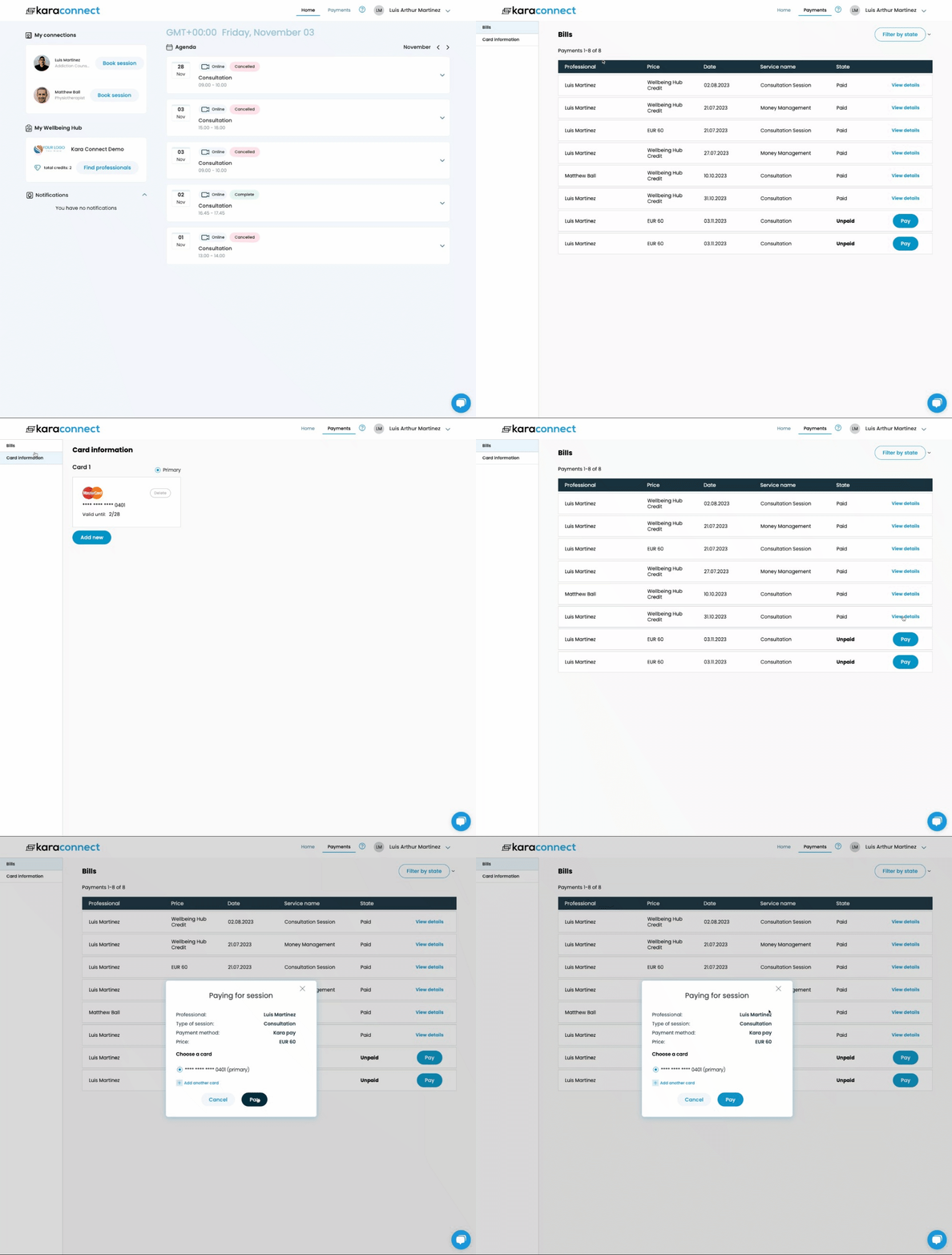
If you receive an error when attempting to pay, this may indicate that the selected payment type has not been enabled by your professional. Please arrange payment with them directly.
Understanding Your Payment Status
Under the Payments tab in your account, you can view all sessions and their current status: Paid or Unpaid.
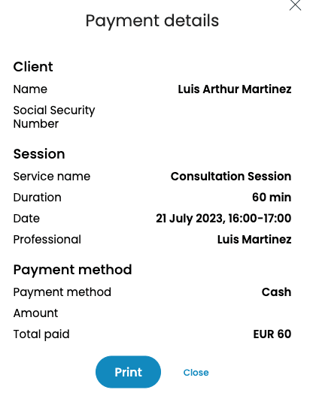
Click View Details for paid sessions to see session information and the payment method used. You can also print the receipt here.
Wellbeing Hub Clients (using Sponsored Credits)
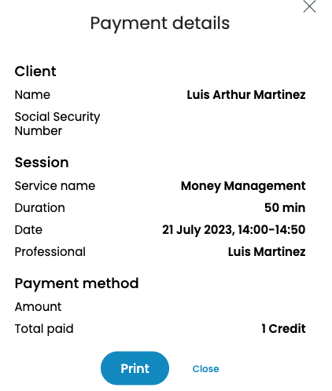
If you're a Wellbeing Hub client and had a session booked with sponsored credits, your payment method will show as 'Credits' and your session will show as 'Paid'.
To check your credit balance, please go to the 'Home' tab and look under 'My Wellbeing Hub'.
Paying with Other Payment Methods
- Payment Links: Your professional may use their own payment methods, such as Stripe, Revolut, Wise, or others. In this instance, the professional will request payment from you via their own method.
- Card Terminals: Some professionals may use card terminals to collect payment.
- Cash: Some professionals may accept cash payments, especially for on-site visits.
- Other: Any other method which the professional uses to collect payment (in this instance, the professional will explain it to you).
For any questions about payment processing, please contact your professional directly.
Professionals will mark the session as complete on their end once it's paid. You'll then see the session's state in your own dashboard listed as 'Paid'.
If you've already paid for a session, but it appears as 'unpaid' under 'Payments' > 'Bills', please contact your professional. They may not have closed the session in their system, which could be why it shows as unpaid. To learn more about contacting your professional, click here.
