![Kara Connect - Logo A - RGB - White.png]](https://support.karaconnect.com/hs-fs/hubfs/Kara%20Connect%20-%20Logo%20A%20-%20RGB%20-%20White.png?height=40&name=Kara%20Connect%20-%20Logo%20A%20-%20RGB%20-%20White.png)
What it is
Signposting lets you send a wellbeing support email directly to an individual employee. It's a one-way signal that support exists. You are not referring them for anything, flagging a concern, or monitoring what they do next. Once the email is sent, what happens after is private to the employee.
Why it exists
Most employees with access to wellbeing support never use it. Many managers want to help but don't know how to bring it up, or worry that raising it will feel intrusive or overstep a line. Signposting gives you a low-friction way to point someone toward support, without putting you in the position of assessing, diagnosing, or tracking anyone.
How it works
-
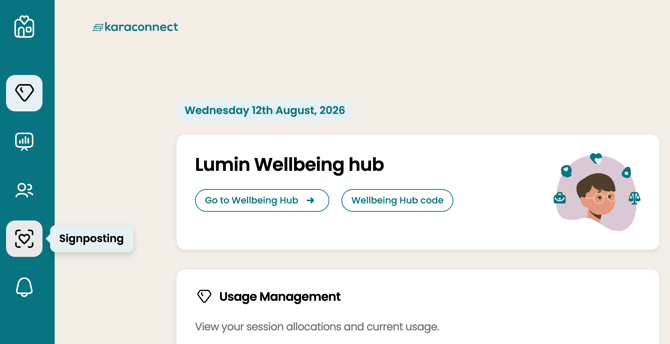
There's a new icon on the manager dashboard. Click on it to access the Signposting dashboard.
-
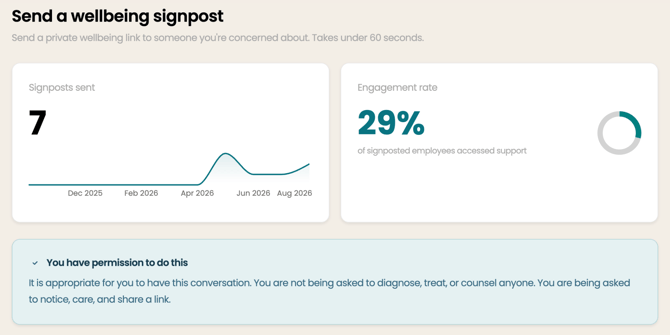
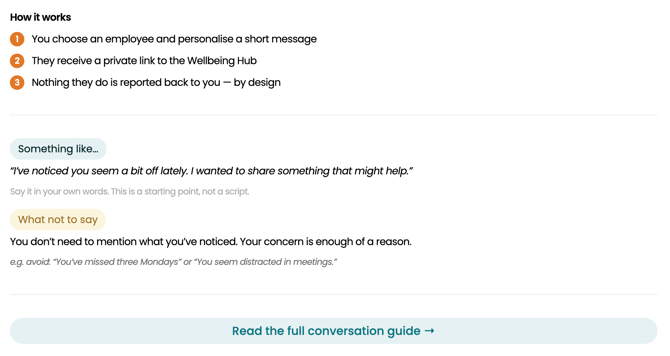
Once there, you'll see stats and below that, a conversation guide that will help walk you through the process with tips.
-
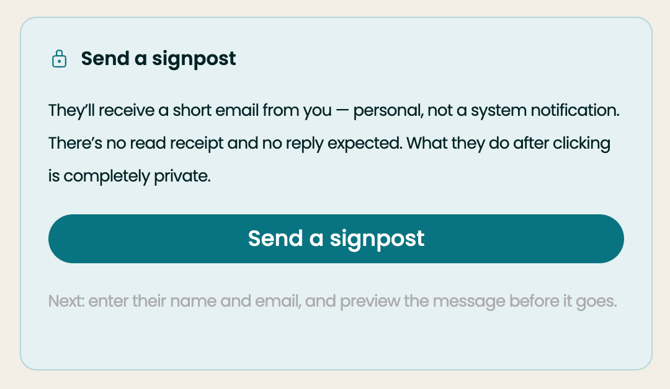
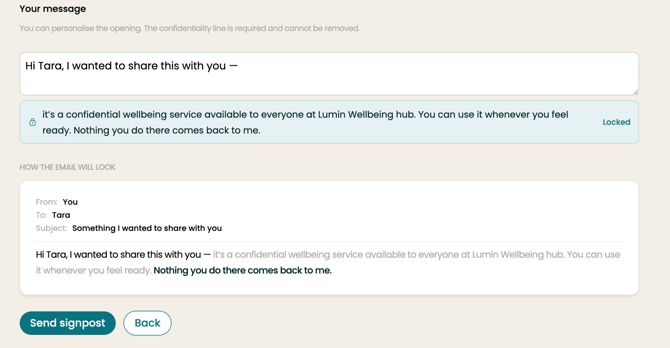
When you're ready to send the email, we provide help in composing it. Review it and send the email.
-
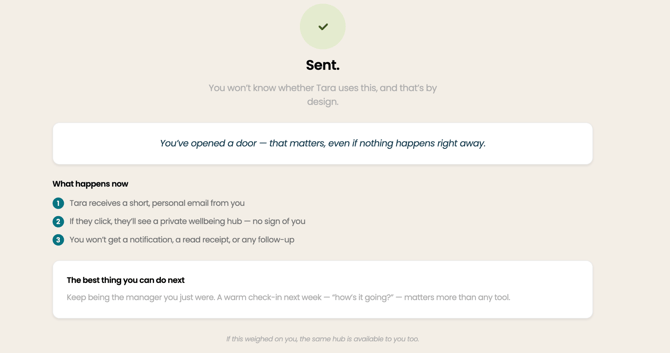
The employee receives the email directly. If they click through, they land on a privacy-first landing page before any hub content, so they know exactly what they're being offered and why.
What you can and can't see
You'll only ever see aggregate trends on your dashboard, for example, how many signposts have been sent across your team over time. You will never see:
-
Whether a specific employee opened the email
-
Whether they visited the hub
-
Whether they booked a session
This isn't a setting you can turn on. It's built into how Signposting works, and it's what keeps this a genuine offer of support rather than a form of tracking.
Usage limits
To prevent overuse, sends are limited to two per employee per quarter. If that limit is reached, HR is automatically notified.
A note on language
Signposting works best when it's framed as sharing a resource, not as identifying a problem. A few things to keep in mind when you talk about it with your team:
-
You're not referring anyone for mental health support
-
You're not flagging employees who need help
-
You're not tracking whether someone accessed support
If a conversation starts to head in that direction, it's worth pausing and reframing: this is about pointing someone to something useful, the same way you might share any other resource.
Frequently Asked Questions
Can I see if the employee used it?
No. Your dashboard shows aggregate trends only. There's no individual outcome visibility, and this can't be changed.
Isn't this a form of targeting?
No. Signposting means sharing a resource with someone, not flagging them for intervention. You're making the same kind of judgment call you'd make in any conversation about who to reach out to. What's different is that the employee is directed somewhere genuinely useful.
What if someone misuses it?
Sends are capped at two per employee per quarter. If that limit is hit, HR is notified.
What if my union or employee representatives raise concerns?There's a privacy FAQ built for exactly this conversation. Kara Connect is also happy to walk through the underlying architecture directly with employee representatives if that would help.