![Kara Connect - Logo A - RGB - White.png]](https://support.karaconnect.com/hs-fs/hubfs/Kara%20Connect%20-%20Logo%20A%20-%20RGB%20-%20White.png?height=40&name=Kara%20Connect%20-%20Logo%20A%20-%20RGB%20-%20White.png)
💡 Note: If you have questions about a specific session, please contact your professional directly by following these steps.
You'll need your Kara Connect login email and password to get started.
How to Find Receipts/Invoices
-
Log in to your client Kara Connect account using your email address and password.
-
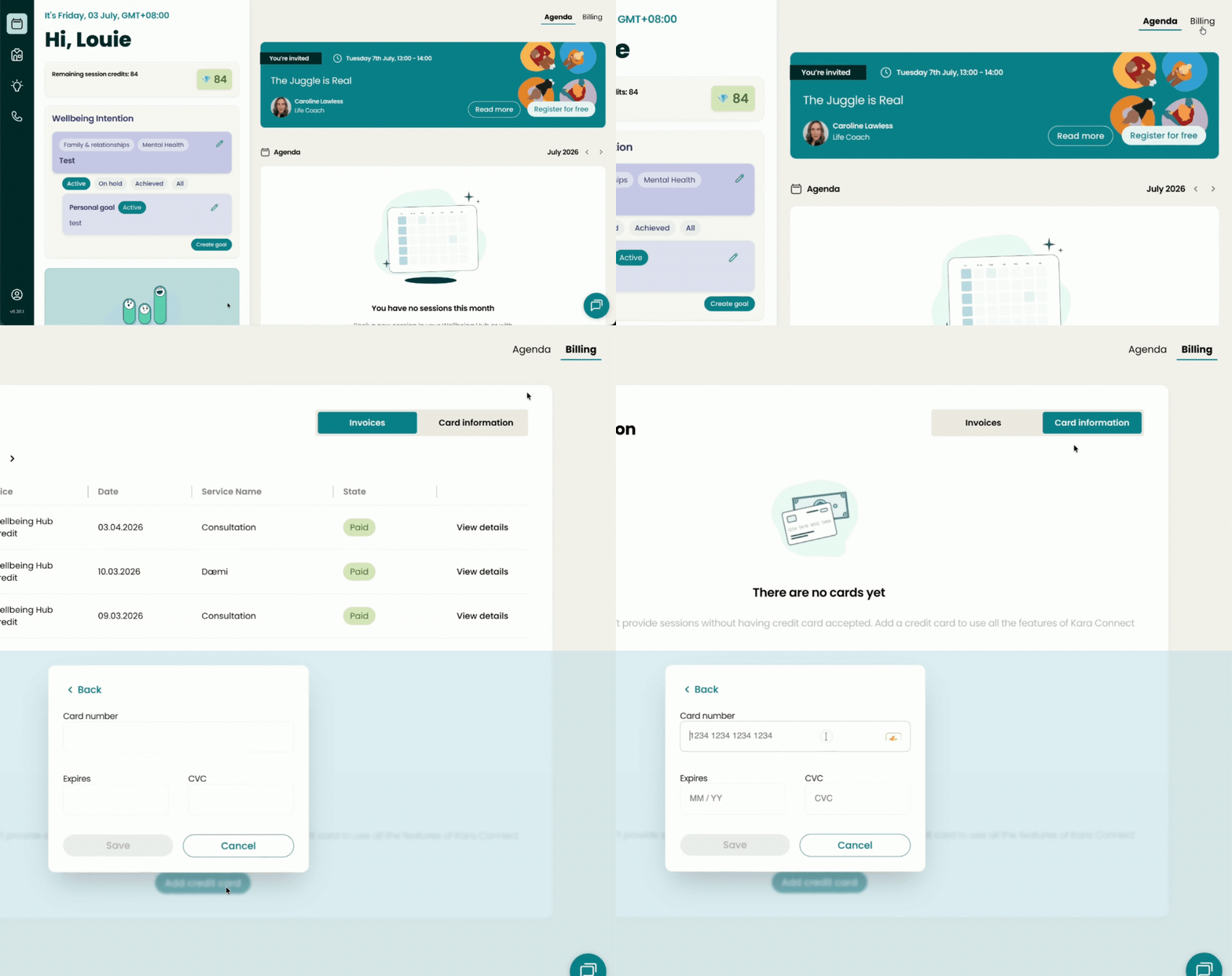
Click the Billing tab right beside the Agenda tab
-
You'll see a list of your past sessions, along with payment dates and amounts.
-
-
Click View details on the right side of the session you want. A pop-up window will appear.
-
In the pop-up, click Print, then choose Save as PDF or Print as preferred.
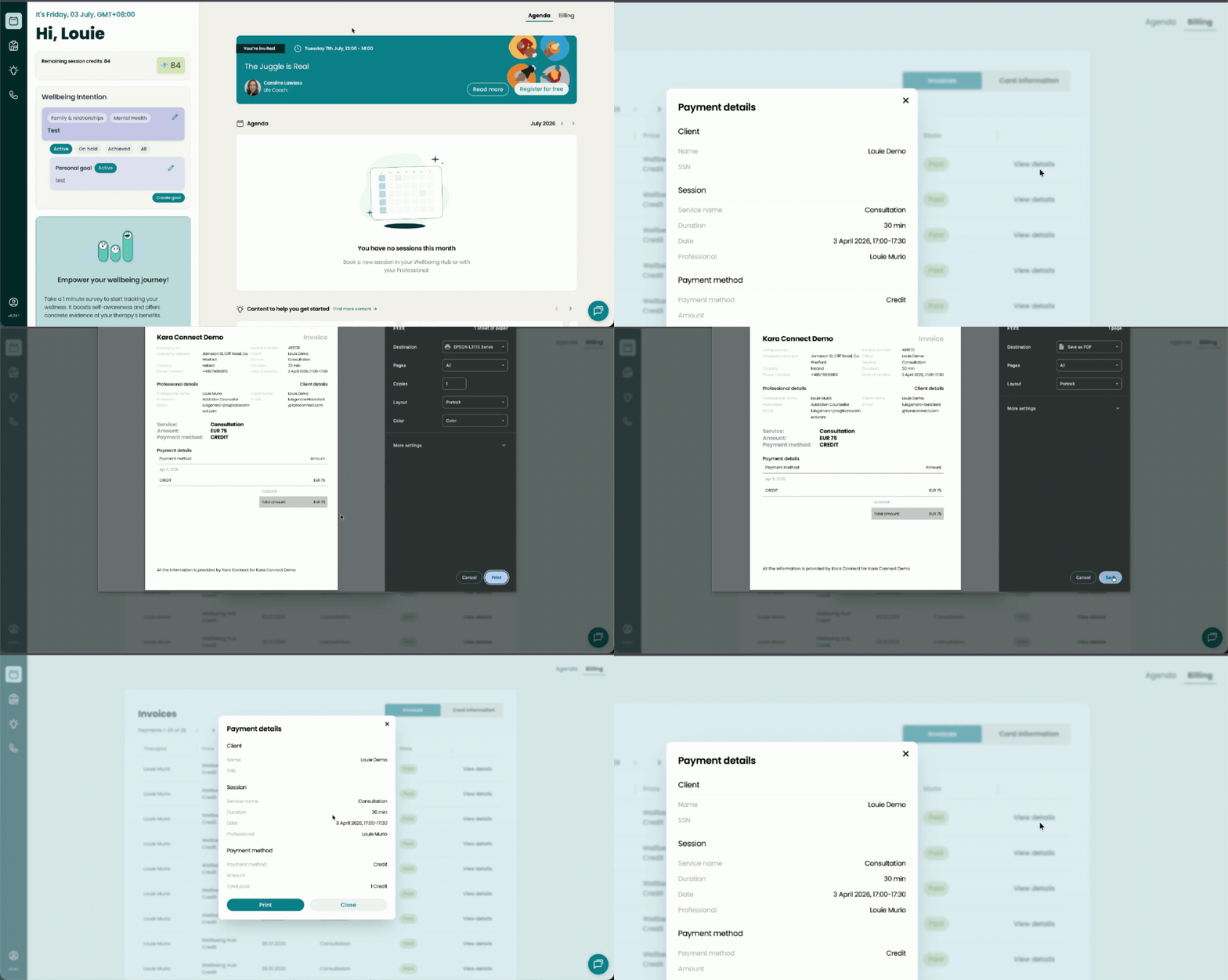
💡 Your PDF receipt will download directly to your device. Check your Downloads folder if it doesn't open automatically."
Adding Your Credit Card to Your Account
We recommend adding your credit card to your Kara Connect client account to ensure payments are processed automatically after completing your session.
To do so, follow these steps.
To add your credit card:
-
Go to Billing in your Kara Connect account.
-
Click Card Information.
-
Select Add credit card and enter your payment details.
-
Click Save 💾 to confirm.
Your payment method will now be stored securely for future sessions.